
Overview — REST API
The REST API takes JSON and returns generated media — images, videos, animated GIFs, HTML5 banner ads and print-quality PDFs — either synchronously for a single image or asynchronously for batches delivered by webhook. Every concept below links to the page that documents it in full.
Just want to make a call?
Quickstart goes from an API key to a generated image in four requests.
| Property | Value |
|---|---|
| Base URL | https://api.abyssale.com |
| Data format | JSON — all calls must include Content-Type: application/json |
| Authentication | x-api-key header |
| Rate limits | Per-workspace budgets by route — see Rate limits |
| API version | Named by release date (vYYYY-MM-DD); JSON object responses carry a top-level version field — except a generated file, whose version is its own integer counter — see the Changelog |
| Full schema | API Reference |
The object model
Everything in the API hangs off one hierarchy. Pick a design type to see its units and the files it produces; click a layer kind to see what it renders as and where its two reference pages are:
type =One still image per format..jpegdefault.pngdefault on transparent backgrounds.webp.avif.pdf
POST /banner-builder/…/generateone image, in the response, within 28 sPOST /async/banner-builder/…/generateor every format at once, by webhook or polling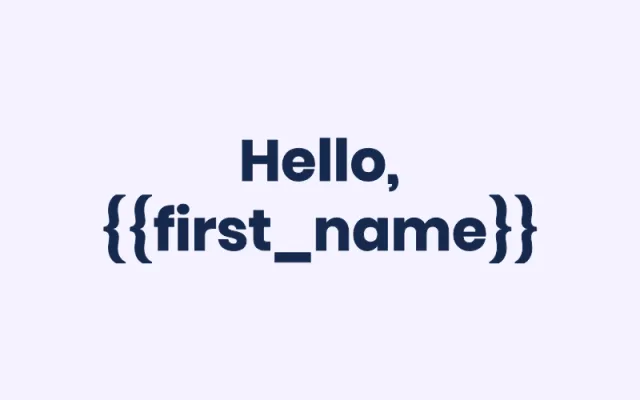
text layer
Styled text that fits itself to its box. Variables like {{first_name}} are filled at generation.
payloadcolorfontfont_size
- A design is a reusable creative blueprint. It always lives in exactly one project — only designs whose project appears on your Projects page are reachable through the API.
- A design declares one or more formats (its output dimensions — e.g.
facebook-feed,instagram-story) and a set of layers (text, image, shape, button, video…). The same layer can be laid out differently per format. - Layers appear in two contexts with one set of kinds: Design Import authors their structure, and generation-time element properties override their values per request. Properties set in the editor are the defaults; anything you don't override renders as designed.
- A workspace template is a design variant that lives outside projects (optionally grouped in categories). It is not generated from directly — you duplicate it into a project to obtain a design. Designs and workspace templates never appear in each other's listings — the split is explained in Designs vs Workspace Templates.
- Generating from a design produces visuals (the output files). Each generation is tracked and retrievable; a visual can later be re-generated under the same share URL.
Every design has one of four types, which decides its authoring space and outputs:
| Type | Output | Authored in |
|---|---|---|
static | Single image (PNG, JPEG, WEBP, AVIF, PDF) | pixels, hex colors |
animated | Video, GIF, HTML5 banner | pixels, hex colors, an animation timeline |
printer | Single-page print PDF | physical units (mm/in), pt font sizes, CMYK |
printer_multipage | Multi-page print PDF | same as printer, one page size for all pages |
Creating designs through the API
You don't need the editor to create a design:
- Design Import creates a design from a single JSON payload — formats, layers, colors, print setup, animation timeline. The flow is four steps: create → upload assets → validate → poll status. The
targetblock decides whether the result lands in a project (a design) or at the workspace root (a workspace template). - Export a Design returns any existing design in the exact shape the import accepts — the round-trip that powers cloning, migrating between workspaces, programmatic edits, and few-shot examples for AI agents.
- Workspace template duplication instantiates a template into a project as a fresh design (asynchronous — poll the returned duplication request).
Start from a real payload
Rather than authoring an import payload from scratch, export a design you built in the editor and use it as the reference — see Export a Design.
Generating assets
Generation takes a design ID plus your per-request overrides, and renders output files. Two modes, documented under Generation:
- Synchronous — one static image, returned in the response. Best for real-time, single-asset flows.
- Asynchronous — many formats and every output type (images, videos, GIFs, HTML5 banners, print PDFs) in one call. You get a
generation_request_idimmediately; results arrive on your webhook or by polling the generation request.
Around the two modes:
- Design Information (
GET /designs/{designId}) is the discovery call — the formats and elements you can target, with their current default values. - Element Properties documents every per-layer value you can override at generation time (text payloads, colors, images, fonts, visibility…).
- Visual Versioning regenerates an existing visual in place, keeping its share URL stable.
- Asset Export bundles generated assets — any output type — into a ZIP, delivered via the
NEW_EXPORTwebhook event. - Dynamic Images is the no-code sibling: one API call mints a public URL, then every personalized variant is just a query string — no API call per image.
Conventions shared by every endpoint
- Versioning — see the
API versionrow above; the Changelog lists every version, breaking changes first. - Errors — one envelope on every endpoint at every status:
{id, message, errors?}. Branch onid, never on message text. Import-specific codes are listed under Import warnings & error codes. - Colors & gradients — one token grammar across the API: hex (shorthand accepted on import), Abyssale's
linear-gradient(...)andradial-gradient(...)syntax on gradient-capable fields, andcmyk()/cmyka()on print designs (solid hex is converted for you). The full grammar lives on Colors & Gradients. - Units —
static/animateddesigns are authored in integer pixels;printer/printer_multipagein physical units (mm/infloats,ptfont sizes) — see Print Imports. - Fonts — the Google + custom fonts available to your workspace, referenced by ID in text overrides.
What a request costs
Requests are not metered; generated assets are. Every rendered asset spends credits, and the price is per format — one design generated in six formats costs six times the single-format price.
| On a plan | Depends on the plan — see pricing |
| On trial | 30 generation credits and 100 AI credits — not 30 requests |
| What counts | Successful visual creation only, including visuals created from the API console on the design page |
| What is free | Reads, listings, design import, dry runs, exports and polling |
Credits has the price of every output type, the pixel formula for print PDFs, and what happens when the balance runs out.
Where to go next
- Authentication — set up your API key.
- Generate a Single Image — make your first API call.
- Asynchronous Generation — batch generate multiple formats.
- Design Import — create designs programmatically.
Looking for a specific route? The Endpoint Catalog lists every endpoint with its guide, and the API Reference carries the full request/response schemas.