
Designs
A design is a reusable creative blueprint that defines the visual structure and output specifications of your marketing assets. It includes at least:
- one format (dimension, e.g. Facebook feed 1200×628 or IAB 300×250)
- one element (text, button, image, shape…)
Each layer has configurable properties: colors, opacity, content, positioning, and layer-specific settings. Properties set in the design builder are the defaults — you can override any property at generation time through the API.
A design always lives in a project
Organisation-level master designs are workspace templates. They belong to no project, and may optionally sit in a category. They never appear in GET /designs — list them with GET /workspace-templates. See Designs vs Workspace Templates if you are unsure which one you have. And because a design lives in its project, it is only listed while that project exists — deleting the project removes its designs from GET /designs.
Design types
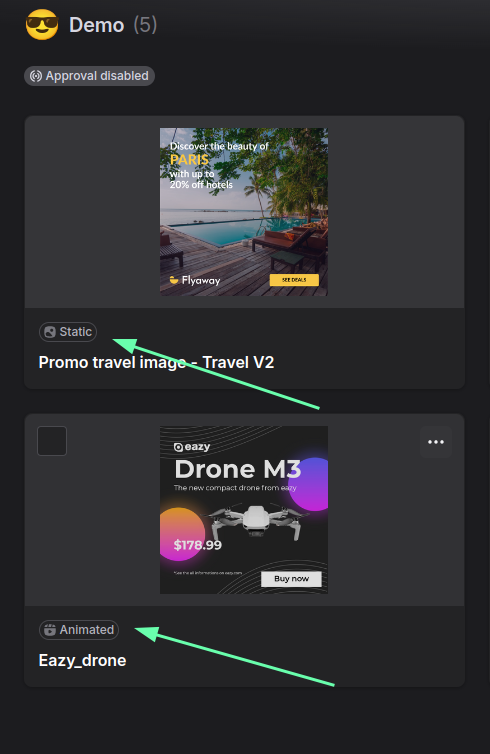
| Type | API type | Output file types | Use case |
|---|---|---|---|
| Static | static | jpeg, png, webp, avif, pdf | Single-frame assets: social posts, display ads |
| Animated | animated | mp4, gif, html5 (ZIP) | Motion content: video ads, animated banners |
| PDF (Print) | printer | printable pdf | Single-page print: flyers, brochures |
| Multi-page PDF (Print) | printer_multipage | printable pdf | Multi-page print: catalogs, presentations |
The design type decides the output types
A design's type and its available output file types are linked: the image_file_type you can request at generation time is limited to the design type's row above — a static design cannot produce an mp4, nor an animated one an avif. Omit image_file_type to get the design's configured default.
Pixel space vs print space
The design type also decides the units and color space the design is stored in — not just how it renders. Everything you read or write through the API speaks the design's own space:
static / animated | printer / printer_multipage | |
|---|---|---|
| Colors | RGB hex — #RRGGBB, #RRGGBBAA | CMYK tokens — cmyk(C,M,Y,K), cmyka(…) |
| Font sizes | pixels (integers) | points — pt (floats) |
| Geometry (position, size, spacing) | pixels (integers) | physical units — mm or in (floats) |
| Gradients | ✓ on fill-type fields | shape and button background_color only, CMYK stops |
This applies to Design Details reads, exports and imports alike — the full token grammar is on Colors & Gradients.
Endpoints
- List Designs —
GET /designs, list, search, sort and page your designs. - Design Details —
GET /designs/{designId}, formats, elements and defaults. - Design Format Details — one format. Not for
printer_multipage, which has no formats. - Rename a Design —
PUT /designs/{designId}/name. - Move a Design —
PUT /designs/{designId}/project, to another project. - Delete a Design —
DELETE /designs/{designId}, for good. - Export a Design — the design as a re-importable payload.
- Design Import — create a design from JSON.